
Package addins.qmd is an R package that provides a set of RStudio add-ins for Quarto documents. The main purpose of this package is to make learning Quarto and Pandoc Markdown syntax faster.
Install Package
Install package from CRAN-like repository:
repos <- c("https://mokymai.github.io/download/", getOption("repos"))
install.packages("addins.qmd", repos = repos)
Install from GitHub
Install development version from GitHub:
if (!require(remotes)) {
  install.packages("remotes")
}

remotes::install_github("GegznaV/addin.tools")
remotes::install_github("GegznaV/addins.qmd")
How to Use These Add-ins
For the current version of the package:
- Find and click RStudio “Addins” button;
- Type
{qmd}in the add-ins search box; - All the add-ins of the package addins.qmd will be displayed in the drop-down list below.

Fig. 1. Steps to find addins of the package addins.qmd.
Below you can find a few examples how to use the add-ins of the package.
Convert Text into Headings
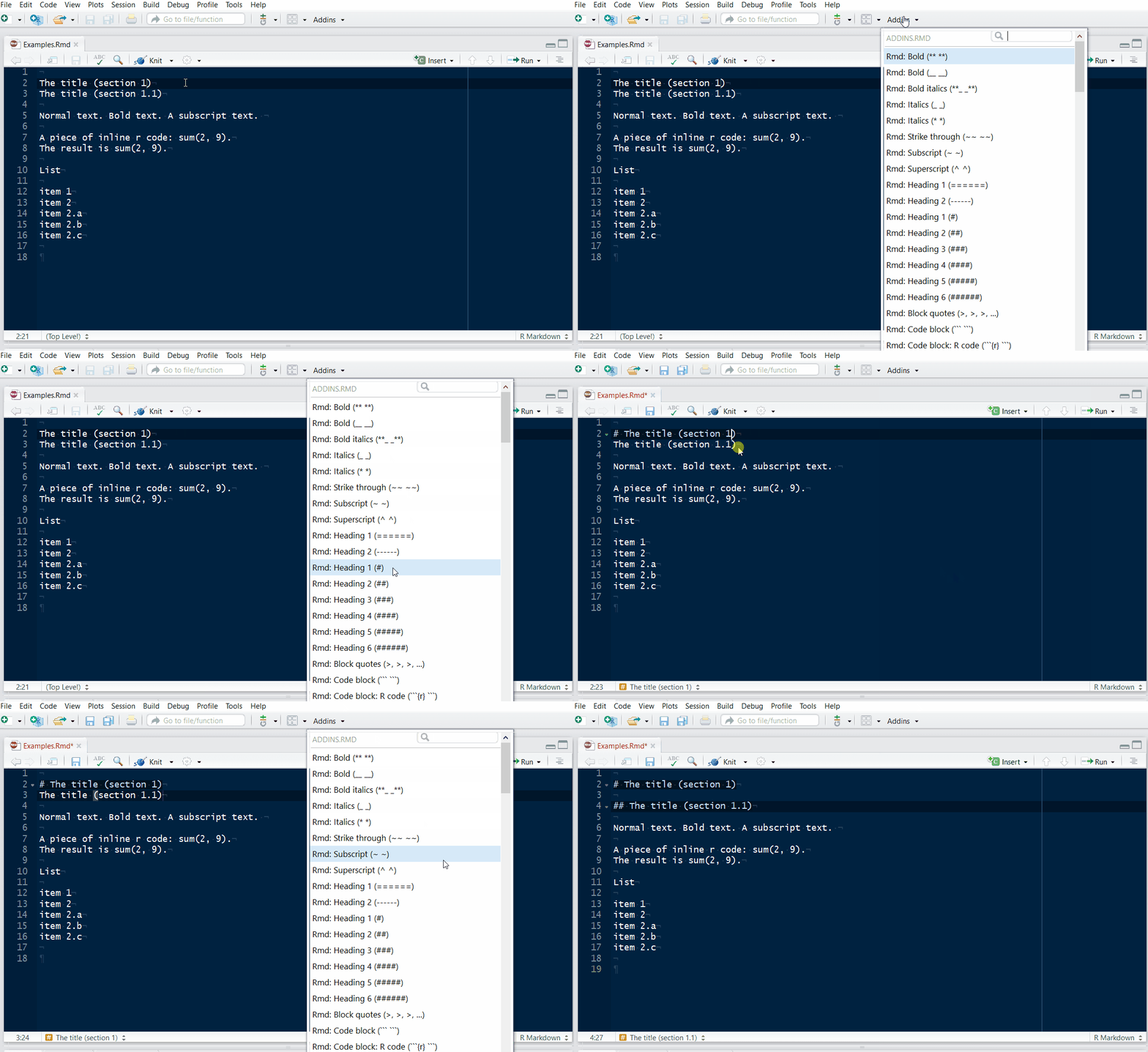
Fig. 2. Demonstration 1: headings. Place a cursor with a mouse and use a necessary add-in. (In this demonstration, older version of the package is used.)
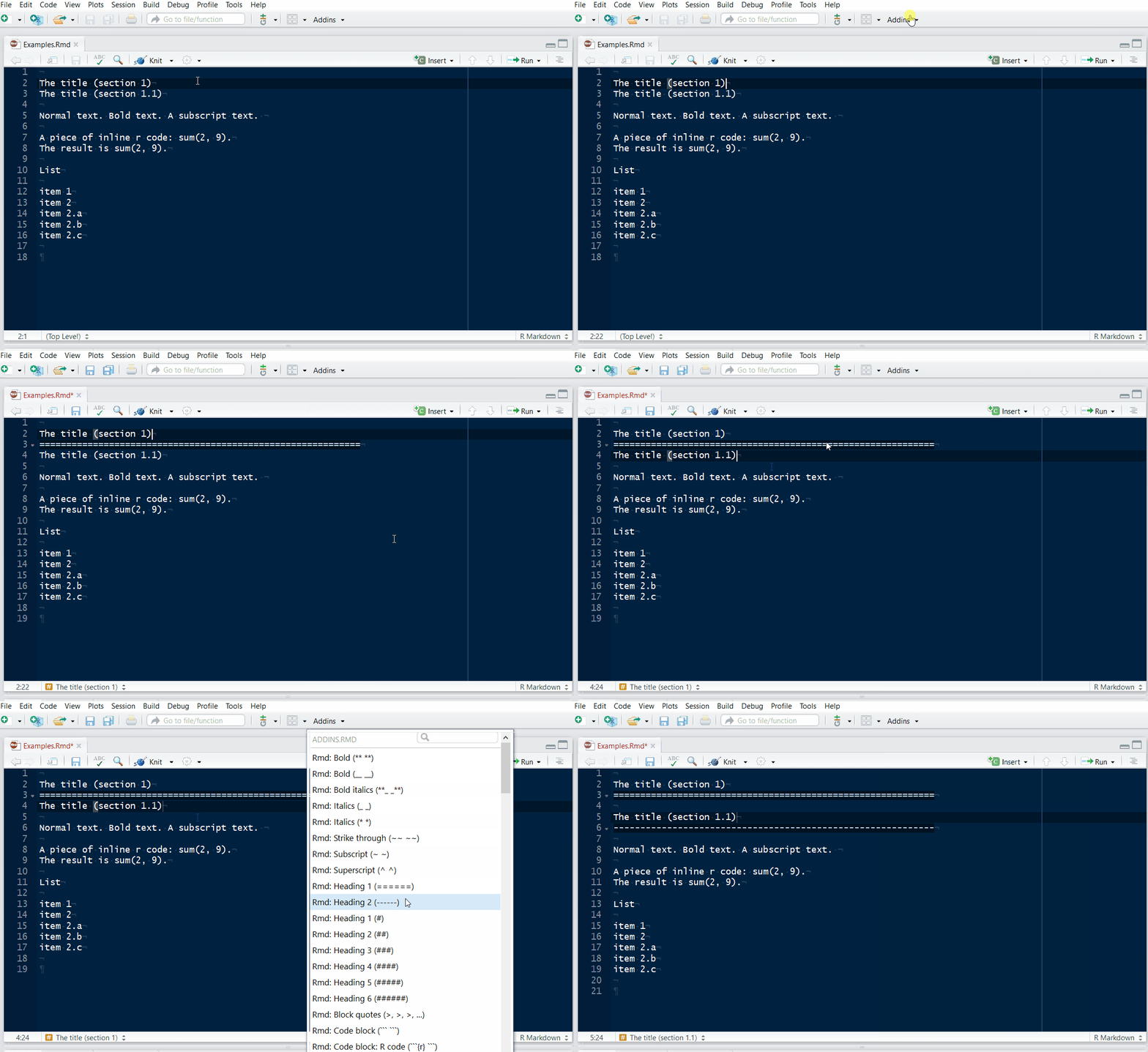
Fig. 3. Demonstration 2: headings.** Notice that, if needed, a blank line above the selection is added.
Basic Text Formatting
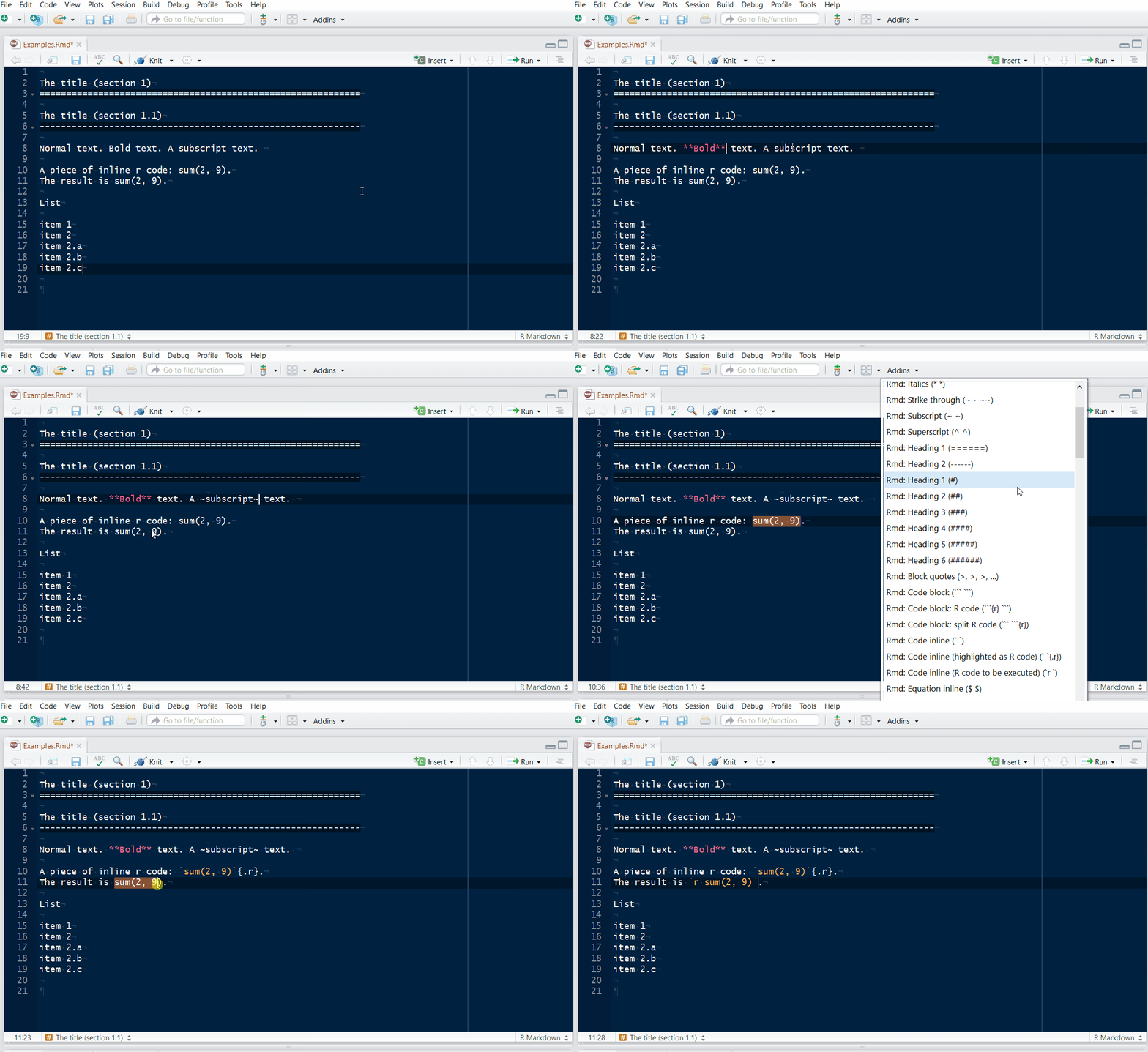
Fig. 4. Demonstration 3: basic formatting. Before using this type of add-in, select a piece of text that should be formatted. (In this demonstration, older version of the package is used.)
Create Lists
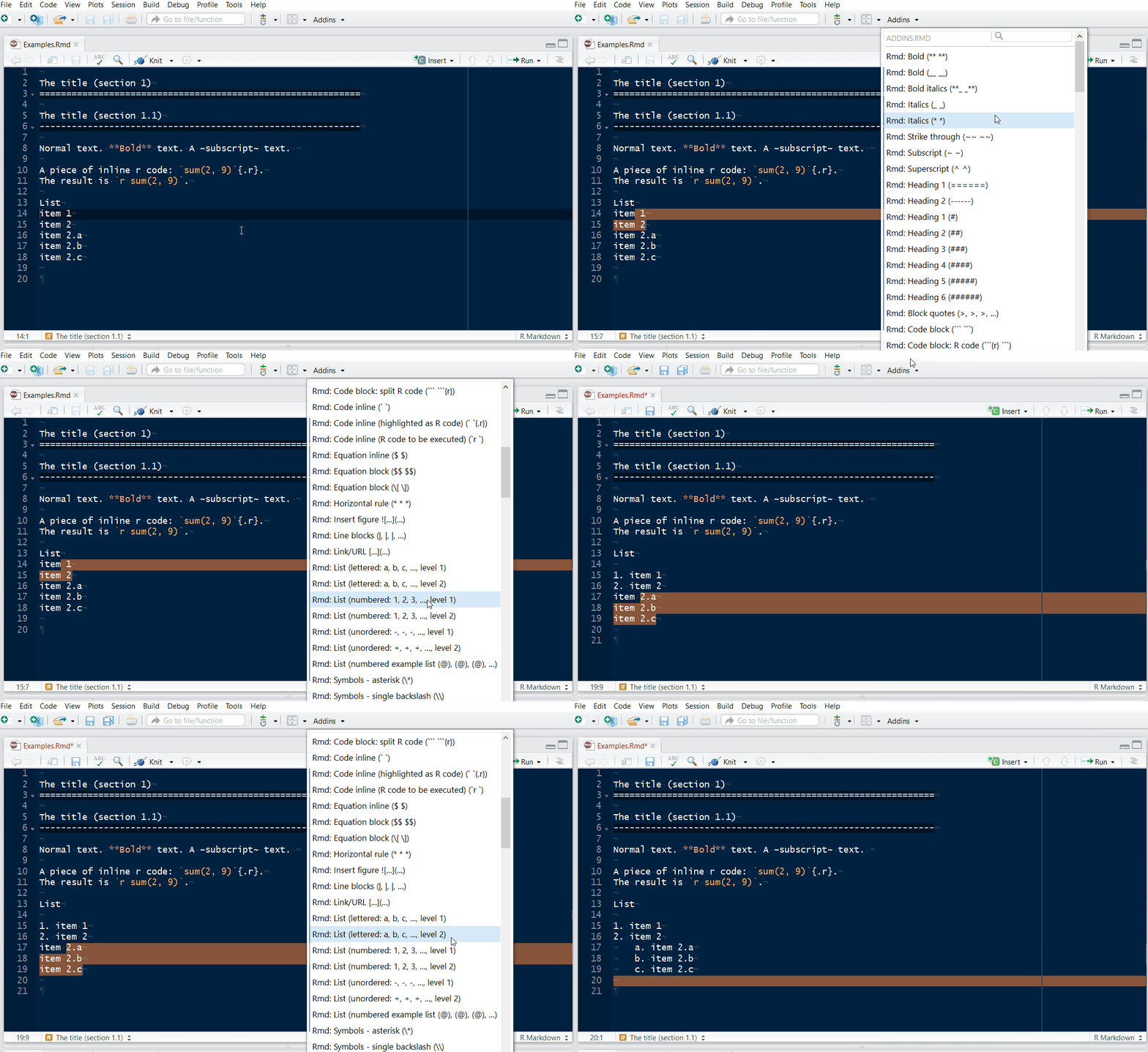
Fig. 5. Demonstration 4: lists. The lists can be numbered and unnumbered. They can have several levels. (In this demonstration, older version of the package is used.)
Create R Code Chunks
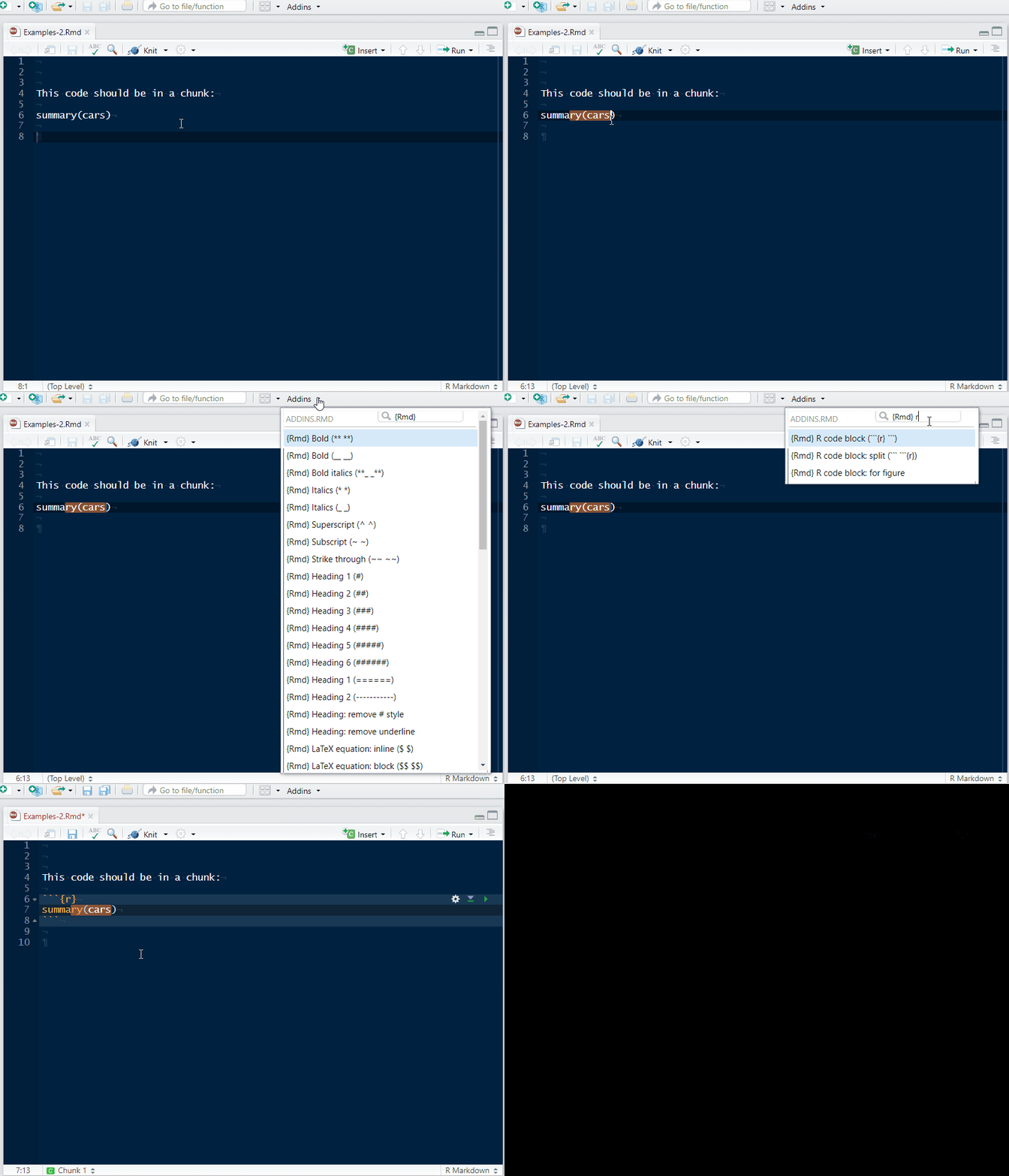
Fig. 6. Demonstration 5: R code chunks. Select one or several lines with code, select an appropriate add-in and include code into a chunk.
Quarto-First Scope
This package is Quarto-first. Most add-ins produce syntax that works in Quarto documents and is powered by Pandoc Markdown.
Some add-ins have limited behavior in RStudio markdown Visual Editor mode. When this happens, use Source editor mode or the related native Visual Editor command.
API Surface Conventions
- Exported functions with the
qmd_prefix are the supported user-facing addins. - Some addin bindings intentionally target non-exported functions for RStudio addin dispatch compatibility.
- Non-exported helper functions are internal and may change between releases.
- Visual Editor command support is implemented incrementally and falls back to source-mode behavior or warnings when commands are unavailable.
See Also
Use the links below to learn more about RStudio add-ins and especially how to use them in combination with user-defined keyboard shortcuts:
Quarto Markdown (Pandoc)
Quarto markdown is based on Pandoc’s Markdown syntax. If you need more advanced formatting options, please, read more at:
Online documentation at https://gegznav.github.io/addins.qmd/